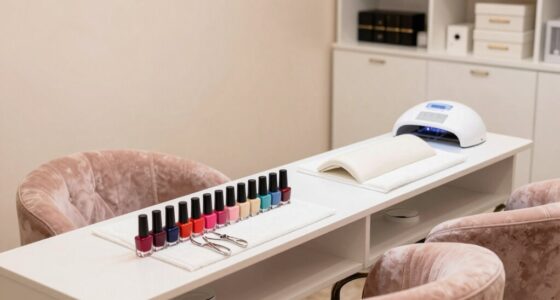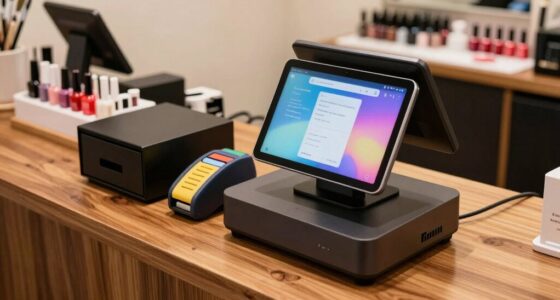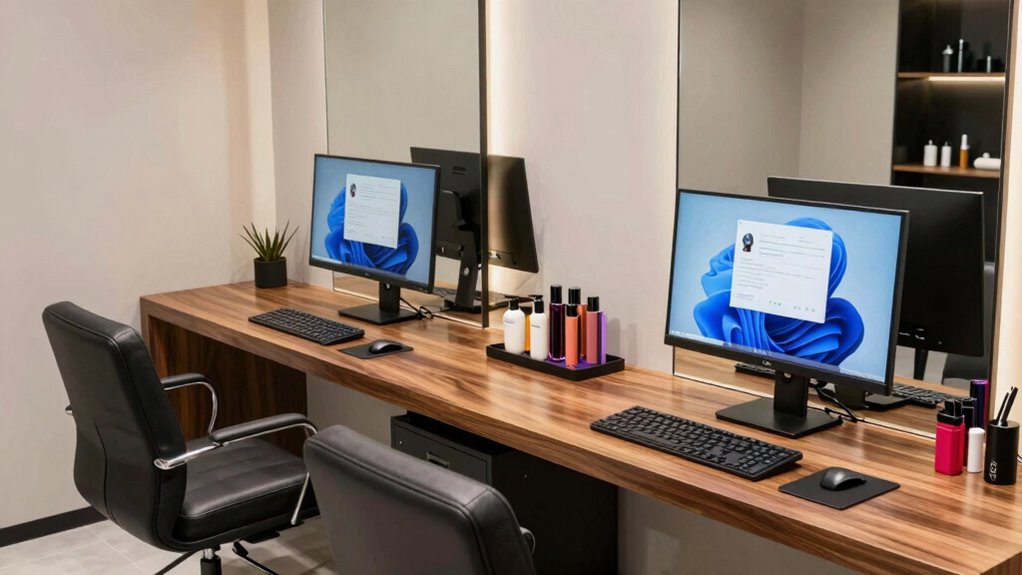

Setting up your salon’s front desk computer system involves choosing user-friendly hardware and management software that fit your team size. Make sure the system is secure, regularly updated, and backed up to protect client data. Position your workspace for easy access and reliable internet connectivity to handle bookings and real-time updates efficiently. Proper training is key for smooth operations and personalized customer service. Want to discover tips for customizing your setup? Keep exploring!

Get beauty and skincare favorites delivered free with Prime
- Fast, free delivery on millions of items
- Prime Video, Amazon Music and more included
- Member-only deals all year
Key Takeaways
- Select hardware and management software tailored to salon size and staff needs for efficient front desk operations.
- Position the computer for easy access while maintaining a tidy, organized workspace.
- Implement secure login protocols and regular updates to protect client data and ensure system security.
- Train staff thoroughly on software functions, scheduling, and customer service protocols.
- Integrate with marketing, payment, and booking tools to streamline workflows and enhance client experience.

Setting up the front desk computer for your salon is an essential step in guaranteeing smooth daily operations. When your system is correctly configured, you’ll find it easier to manage customer information, streamline appointment scheduling, and keep everything organized. Customer management becomes more efficient because you can access client details instantly, track their preferences, and maintain accurate records. This not only improves client satisfaction but also helps you personalize services, encouraging repeat business. Appointment scheduling, on the other hand, benefits immensely from a reliable setup, allowing you to book, reschedule, and confirm appointments quickly. An effective front desk computer setup reduces double bookings and minimizes errors, saving you time and frustration.
A well-setup front desk computer streamlines customer info, appointment scheduling, and enhances overall salon efficiency.
To start, choose a computer with sufficient processing power and a user-friendly interface. Your staff should be able to navigate the system effortlessly, so avoid overly complicated software. Many salon management programs integrate customer management and appointment scheduling into a single platform, making daily operations more seamless. When installing your software, guarantee it’s compatible with your hardware and that data backups are set up. This guarantees that your customer records and appointment data stay safe even in case of technical issues. Additionally, ensure that your system is secure and reliable to protect sensitive client information from potential breaches or data loss. Implementing regular data backups is also crucial to prevent loss of important information. Regular maintenance and updates help keep your system running smoothly and guard against security vulnerabilities.
Furthermore, it’s important to choose a system that offers scalability options so your setup can grow with your business needs or accommodate additional features in the future. Next, focus on creating a well-organized workspace for your front desk computer. Position it where it’s accessible but doesn’t obstruct flow or customer interaction. A clean, uncluttered setup helps staff stay focused and reduces mistakes. Make sure you have a reliable internet connection, as many management systems are cloud-based and require stable connectivity. This ensures real-time updates and access to customer information, especially when handling walk-ins or last-minute bookings.
Training your team on how to use the setup effectively is a must. Everyone should understand how to input customer data, schedule appointments, and update client preferences. This consistency improves data accuracy and speeds up service delivery. Additionally, set up user permissions if your system allows, so sensitive customer information remains secure. Regularly update your software to benefit from new features and security patches. Establishing clear protocols for data entry and management further enhances accuracy and efficiency.
Finally, consider integrating your front desk system with other tools like marketing email campaigns or payment processing systems. This integration helps automate routine tasks, freeing up more time for personalized customer interactions. When your front desk computer is properly set up for customer management and appointment scheduling, you create a more professional, efficient environment that benefits both your staff and clients.
Products Worth Considering

Garmin Forerunner 55 GPS Running Smartwatch, Black

Hyperice Hypervolt 3 Percussion Massage Gun with Heated Head and Premium Carry Case

Oura Ring 4 Smart Ring – Silver – Size 8
As an affiliate, we earn on qualifying purchases.
Frequently Asked Questions
How Do I Choose the Right Hardware for My Salon?
To choose the right hardware for your salon, focus on hardware compatibility with your existing systems and software. Prioritize ergonomic design to guarantee comfort during long hours at the front desk, which boosts productivity and reduces strain. Select a reliable computer with sufficient processing power, a quality monitor, and easy-to-use peripherals. This setup will streamline your operations, enhance guest experience, and keep your team efficient.
What Security Features Are Essential for Salon Computers?
You need cybersecurity protocols that protect client data and prevent breaches, along with robust password management to keep access secure. Implement firewalls, antivirus software, and regular system updates. Use strong, unique passwords, and change them frequently. Enable multi-factor authentication where possible. Educate your staff on security best practices. These essential security features guard your salon’s sensitive information, ensuring your business stays safe and compliant with privacy regulations.
How to Integrate Payment Systems With Salon Management Software?
To integrate payment systems with your salon management software, start by choosing software that supports popular mobile payment options like Apple Pay or Google Wallet. Connect loyalty programs to encourage repeat business and streamline transactions. Make certain the system securely processes payments, tracks sales, and syncs with your booking schedule. Regularly update your software to maintain compatibility and security, providing a seamless, efficient experience for both staff and clients.
What Are the Best Practices for Data Backup and Recovery?
You should regularly back up your salon data using a reliable cloud backup service to guarantee it’s safe from hardware failures or cyber threats. Implement a solid disaster recovery plan that includes scheduled backups and quick data restoration processes. Test your backup and recovery procedures periodically to confirm they work effectively. This way, you minimize downtime and protect your business’s essential information, keeping your salon running smoothly even after unexpected issues.
How Can I Ensure Staff Can Easily Access and Update Client Information?
You can guarantee staff easily access and update client information by implementing a user-friendly system with secure login credentials, respecting client confidentiality. Provide thorough staff training on how to navigate the software efficiently and emphasize confidentiality protocols. Regularly update access permissions, and encourage staff to log updates immediately. This approach promotes accurate records, protects client privacy, and streamlines operations for your salon, enhancing overall service quality.
Conclusion
Choosing the right front desk computer setup transforms your salon from merely a space to a sanctuary of efficiency and professionalism. Just as a well-tuned instrument produces beautiful music, a thoughtfully configured system harmonizes your operations, elevating client experience and team productivity. Remember, your setup isn’t just hardware; it’s the heartbeat of your salon. Invest wisely, and watch your business flourish—because when your front desk runs smoothly, your entire salon sings in perfect harmony.